
Schedule Voice Recorder4.2.2 - Google Play
You'll be able to see results in few seconds.
Publisher Description
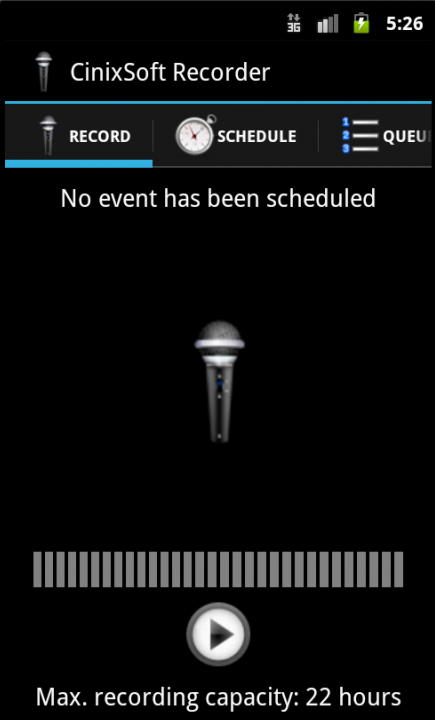
★★★ Pre-Scheduled & Stealthy Voice/Call Recording & Remote Control ★★★
CinixSoft Recorder is the only voice recorder in the market with capability to preschedule recording for the future (daily, weekly, monthly). It is smart and easy. Use this app to record meetings, lectures, or personal notes, with no time limits.
-- User Guide: https://www.cinixsoft.com/doc/cinixsoft_user_guide_voice_recorder.pdf
-- Product Line
★ Schedule Voice Recorder (Free but fully functional)
★ Secure Schedule Voice Recorder = Schedule Voice Recorder + 9 Advanced Features (For Highest Security; No internet connection needed.)
★ Secret Schedule Voice Recorder = Schedule Voice Recorder + 12 Advanced Features (For Highest Secrecy; With password protection, and many many more.)
★ Remote Schedule Voice Recorder = Schedule Voice Recorder + 17 Advanced Features (For Highest Flexibility; WIth remote control of scheduled recordings and call recording.)
-- Core features
1. Prescheduled Recording: Based on built-in sophisticated scheduling strategy, it is very easy to schedule future recordings. The repeating of prescheduled recording can be configured as daily, weekly, monthly or yearly providing full freedom to suit your needs.
2. Hidden/Stealthy: The recorder is running totally in background. Once you configured it, it runs without your care. It works even when you switch off the screen or exit the app or reboot your device
3. Selectable Audio Format: Choose mp4, 3gp or wav as the audio format. Compared with wav, the two formats mp4 and 3gp enable much longer recording time.
4. Easy to share recordings via facebook, email or other ways. Recordings can also be copied into external storage for PC transfer.
5. No time limits: Recording length unlimited and depends only on free memory.
-- Following features in all three versions (secure/secret/remote),
A1. No Ads
A2. Option to add app widget
A3. Noise filtering for wav
A4. Silence skipping for wav
A5. Pre-amplification and gain calibration for wav
A6. Display waveform for .wav
A7. Continuous recording of .wav
A8. Option to delete old audio files automatically
-- Further, in secure version
B1. No internet connection needed (100% secure, but password protection, automatic upload and transformation services unavailable)
C1. Call interaction: Stop recording when call comes in or goes out.
C2. App interaction: Stop recording when specific apps are started.
C3. Adjustable Sampling rate
C4. Remote Control with Calendar Sync (NEW!!!)
-- and in secret version
B1. Notepad as app name and app icon
B2. Password protection and recovery
B3. Automatic upload of audio to FTP server
B4. Call interaction: Stop recording when call comes in or goes out.
C1. Automatic Email upload
C2. App interaction: Stop recording when certain apps are started.
C3. Adjustable sampling rate
C4: Automatic Dropbox upload
C5. Remote Control with Calendar Sync (NEW!!!)
-- and in remote version
B1. Password protection and recovery
B2. Automatic upload of audio files to FTP server
B3. Call interaction: Stop recording when call comes in or goes out.
B4. Automatic email upload
B5. App interaction: Stop recording when specific apps are started.
B6. Adjustable sampling rate
B7. Automatic Dropbox upload
B8. Remote control with calendar sync (NEW!!!)
B9. Call recording (NEW!!!)
All B-features are already included while the C-features need to be purchased further by in-app billing.
-- Permissions
All apps from CinixSoft will request permissions from you ONLY IF the permission is needed for executing the tasks as communicated by the app. CinixSoft will NEVER abuse any resources on your device.
About Schedule Voice Recorder
The company that develops Schedule Voice Recorder is CinixSoft. The latest version released by its developer is 4.2.2.
To install Schedule Voice Recorder on your Android device, just click the green Continue To App button above to start the installation process. The app is listed on our website since 2014-09-05 and was downloaded 0 times. We have already checked if the download link is safe, however for your own protection we recommend that you scan the downloaded app with your antivirus. Your antivirus may detect the Schedule Voice Recorder as malware as malware if the download link to com.cinix.mobile.record is broken.
How to install Schedule Voice Recorder on your Android device:
- Click on the Continue To App button on our website. This will redirect you to Google Play.
- Once the Schedule Voice Recorder is shown in the Google Play listing of your Android device, you can start its download and installation. Tap on the Install button located below the search bar and to the right of the app icon.
- A pop-up window with the permissions required by Schedule Voice Recorder will be shown. Click on Accept to continue the process.
- Schedule Voice Recorder will be downloaded onto your device, displaying a progress. Once the download completes, the installation will start and you'll get a notification after the installation is finished.
Program Details
System requirements
Download information
Pricing
Version History
version 4.2.2
posted on 2014-09-05
*** Try the most advanced app "Remote Schedule Voice Recorder" ***,-- v4.2.2,* update library
version 2.1.2.0
posted on 2013-06-26
Several fixes and updates
Disclaimer
Official Google Play Link
We do not host Schedule Voice Recorder on our servers. We did not scan it for viruses, adware, spyware or other type of malware. This app is hosted by Google and passed their terms and conditions to be listed there. We recommend caution when installing it.
The Google Play link for Schedule Voice Recorder is provided to you by apps112.com without any warranties, representations or guarantees of any kind, so access it at your own risk.
If you have questions regarding this particular app contact the publisher directly. For questions about the functionalities of apps112.com contact us.
